Periodic Notes
I will follow the following plugin configurations and workflows for creating and managing my periodic notes in Obsidian (which might change time to time depending on efficiency and as I learn new things).
Plugins
I am using the following plugins to meet this objective:
Configurations
Periodic Notes
I have enabled only daily, weekly and monthly notes to be created using the Periodic Notes plugin (using Command Palette). Yearly notes will be created manually.
| Note Type | Format |
|---|---|
| Daily Notes | ddd, D MMM, YYYY (e.g., Thu, 20 Feb, 2025) |
| Weekly Notes | [Week] w, gggg (e.g., Week 8, 2025) |
| Monthly Notes | MMM, YYYY (e.g., Feb, 2025) |
Workflow
Since I am using PARA method for managing my notes, we will be creating every new periodic note in 0. Inbox > _PERIODIC folder. More details are given below (the order is from most urgent / actionable to least urgent / actionable).
1. Daily
Below is the daily workflow I will try to follow for my periodic notes:
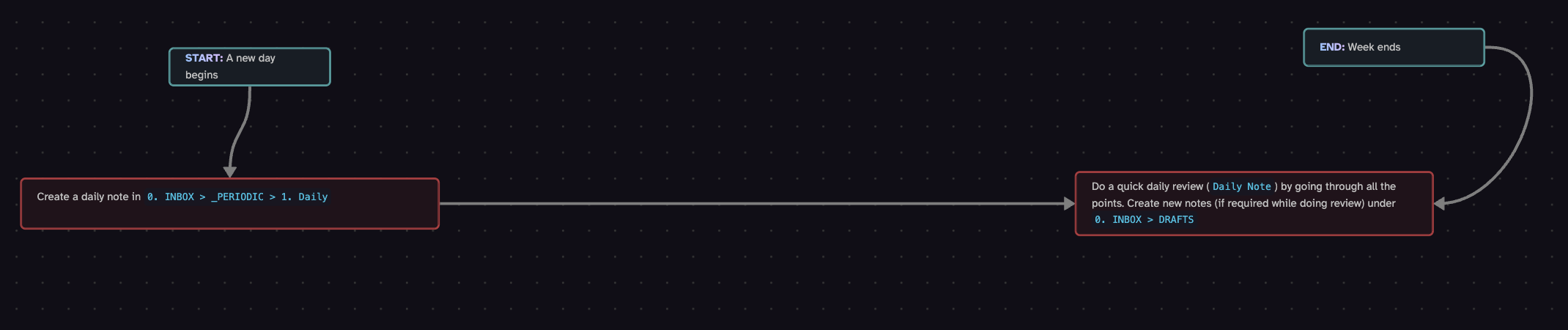
You find the daily note template here.
2. Weekly
Below is the weekly workflow I will try to follow for my periodic notes:
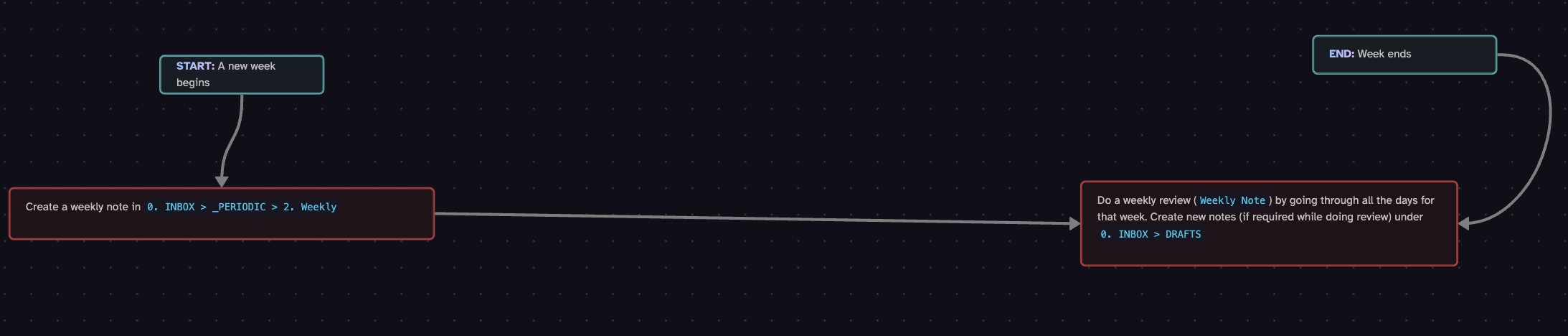
You can find the weekly note template here.
3. Monthly
Below is the monthly workflow I will try to follow for my periodic notes:
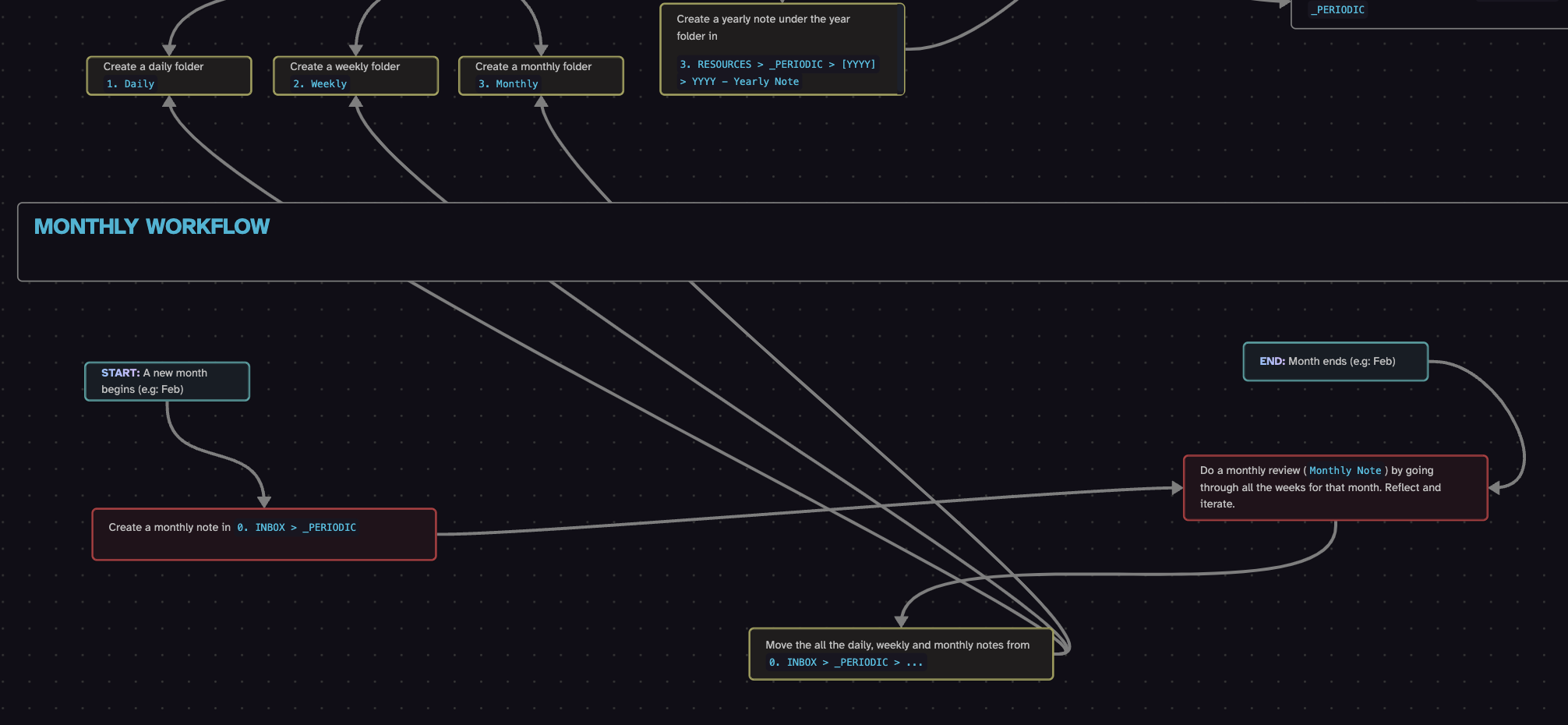
You can find the monthly note template here.
4. Yearly
Below is the yearly workflow I will try to follow for my periodic notes:
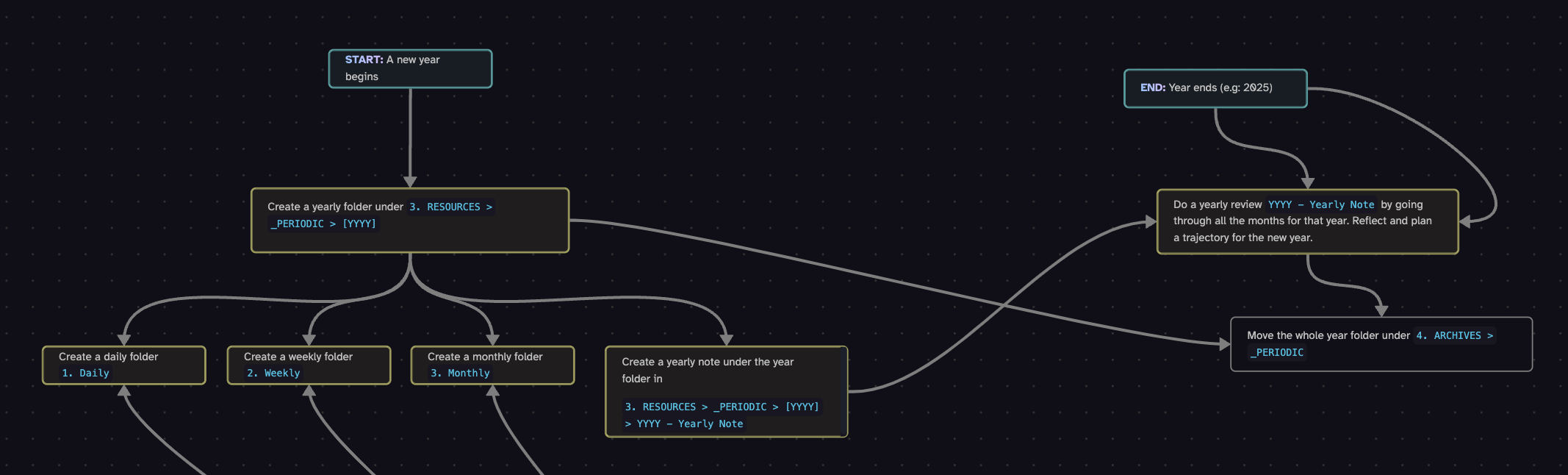
You can find the yearly note template here.